Calling Other Bricks
It is very useful to be able to call a brick from another brick. While it is very easy in DRAW, it can be a bit more tedious in CODE. This is why we created the helpers described in this page.
executeBrick
The first and main helper is executeBrick (doc), here is its signature:
function executeBrick(
    $: BrickContext,
    brick: BrickReference,
    inputs: Array<any>
): Promise<Array<any>>;
It takes 3 parameters: the current brick context, a reference to the brick to execute, and the inputs to be passed to the brick.
The reference to the brick to execute can be of various types, explained in the Accepted bricks section below.
Here is an example of its usage:
import { Brick, registerBrick, executeBrick } from 'olympe';
import AnotherBrick from './AnotherBrick';

export default class MyBrick extends Brick {
    async update($, [], [forwardEvent]) {
        const [output0, output1] = await executeBrick($, AnotherBrick, [input0, input1]);
        // ...
        forwardEvent();
    }
}

registerBrick('019...', MyBrick);
This call will execute the brick AnotherBrick with the inputs input0 and input1, then wait for it to be done and then return the outputs of it.
Here is the AnotherBrick signature for reference:
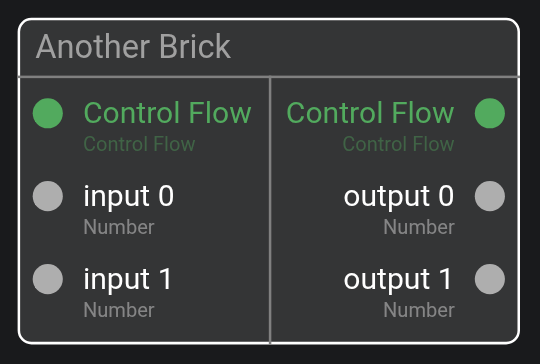
For it to work, AnotherBrick should be a dependency of MyBrick. This is explained in the Brick dependencies section below.
Action vs Function
The helper can call Action and Function without issue.
The behavior for each differs however:
- Action - first set the inputs, then the input control flow, then wait for the output control flow, then return the outputs
- Function - first set the inputs, then wait for all outputs to have a value, then return the outputs
If the brick has an output Error Flow and it is triggered, then the helper will throw the error.
Accepted bricks
Each helpers take a reference to the brick to execute, this reference can be of various types.
The class of the brick:
import AnotherBrick from './AnotherBrick';
// ...
await executeBrick($, AnotherBrick, []);
The name of the brick:
await executeBrick($, 'Another Brick', []);
The tag of the brick:
await executeBrick($, '019fd6f0018f6a39b1d3', []);
A lambda passed as input:
async update($, [anotherBrick], []) {
    await executeBrick($, anotherBrick, []);
}
Brick dependencies
All coded bricks in DRAW have now a new sub-editor: Brick dependencies
It let you define which bricks can be executed by the brick. It works by simple drag-n-drop:
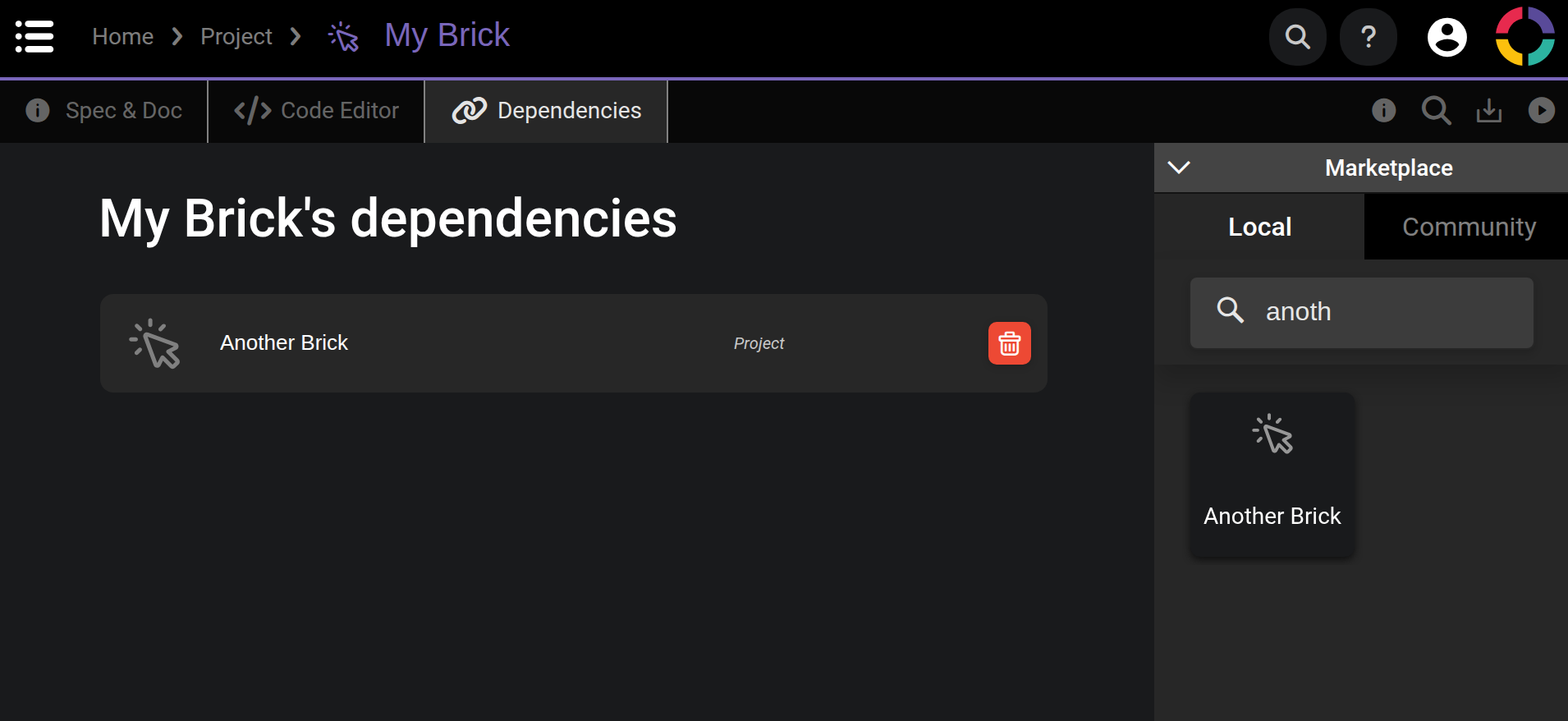
To execute a brick, it must be in the dependency list.
If the executed brick is not in the dependency list, then an error will be raised when trying to execute it:
The brick 'My Brick' (019fd71ea3b82c3b0c2e) is trying to execute the non-dependency brick 'Another Brick' (019fd6f0018f6a39b1d3)
NB: when changing the dependency list, you need to reload your application for it to update.
executeBrickSync
The second helper is executeBrickSync (doc), here is its signature:
function executeBrickSync(
    $: BrickContext,
    brick: BrickReference,
    inputs: Array<any>
): Array<any>;
Its parameters are the same as for executeBrick.
Here is an example of its usage:
import { Brick, registerBrick, executeBrickSync } from 'olympe';
import AnotherBrick from './AnotherBrick';

export default class MyBrick extends Brick {
    update($, [], []) {
        const [output0, output1] = executeBrickSync($, AnotherBrick, [input0, input1]);
    }
}

registerBrick('019...', MyBrick);
This call will execute the brick AnotherBrick with the inputs input0 and input1, and return its outputs immediatly.
The difference with executeBrick is that this one is not asynchronous, so the outputs are returned directly even if there is no values.
executeBrickSync is useful if you know the brick you execute is functionally pure.
This helper will not care about output control flows and error flows, thus no error are raised by it.
observeBrick
The third and last helper is observeBrick (doc), here is its signature:
function observeBrick(
    $: BrickContext,
    brick: BrickReference,
    inputs: Array<any>,
    waitForValue?: boolean
): Observable<Array<any>>;
Its parameters are the same as for executeBrick with an additional boolean, which has the same effect as for https://support.olympe.io/api/runtime/classes/BrickContext#observe (default = true).
Here is an example of its usage:
import { Brick, registerBrick, observeBrick } from 'olympe';
import AnotherBrick from './AnotherBrick';

export default class MyBrick extends Brick {
    update($, [], []) {
        observeBrick($, AnotherBrick, [input0, input1])
            .subscribe(([output0, output1]) => { /* ... */ });
    }
}

registerBrick('019...', MyBrick);
This call will execute the brick AnotherBrick with the inputs input0 and input1, and observe its outputs.
observeBrick is useful if the executed brick has outputs that can evolve over time, like a dynamic query for example.
This helper will handle the difference between Action and Function the same way as executeBrick.
Deprecation
Another helper was already available in core. It is still present and is left unmodified. Its behavior is less generic and only handles lambda passed as inputs with a specific signature, thus it is now deprecated. However you don't need to replace it in your existing application:
import { Brick, registerBrick } from 'olympe';
import { executeLambda } from '@olympeio/core';

export default class MyBrick extends Brick {
    update($, [anotherBrick], []) {
        const [output0, output1] = await executeLambda($, anotherBrick, [input0, input1]);
    }
}

registerBrick('019...', MyBrick);